
In the MCI application, if the proxy is required for any application to work, always make sure to have the correct proxy details. Please double-check the proxy URL. Make sure it is not ending with *.pac. If so this URL cannot be configured in MCI application configuration.
If you receive a proxy URL with .pac as the extension, take remote access of the property PC and open Internet explorer and paste the given URL in the address bar. YOu will be prompt with a popup to download a file.
Download the file and open the same in notepad.
You will find the content something like the one shown in screenshot attached below.
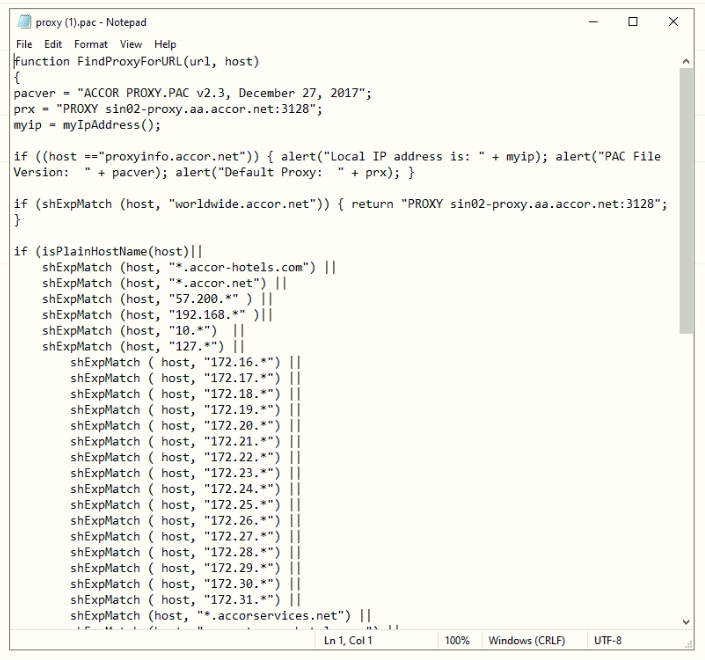
Copy the URL for the keyword prx. Sample is shown below.
prx = "PROXY sin02-proxy.aa.accor.net:3128";
From the above sample, the Proxy URL to be copied to the MCI application configuration is sin02-proxy.aa.accor.net:3128.